
How to pay with USDT without losing the transfer
Network, amount, confirmations — the three things that decide whether a crypto payment is matched or lost.
Crypto payments fail for boring reasons. Almost every "I paid but nothing happened" case is one of three mistakes, and all three are avoidable before you press send.
How an invoice is matched
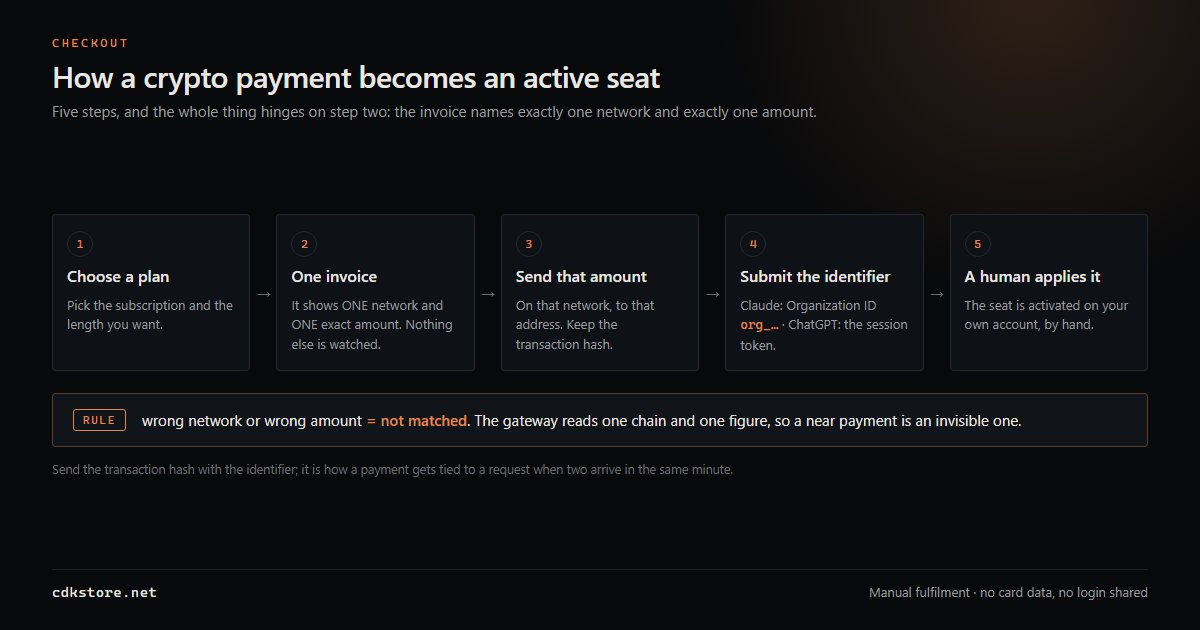
The address on the cashier is single-use and belongs to that one order. Matching uses two conditions at once: the address and the exact amount. So "close enough" has no meaning here — the right chain with a different address, or the right address short by half a coin, both sit in the same unmatched pile.
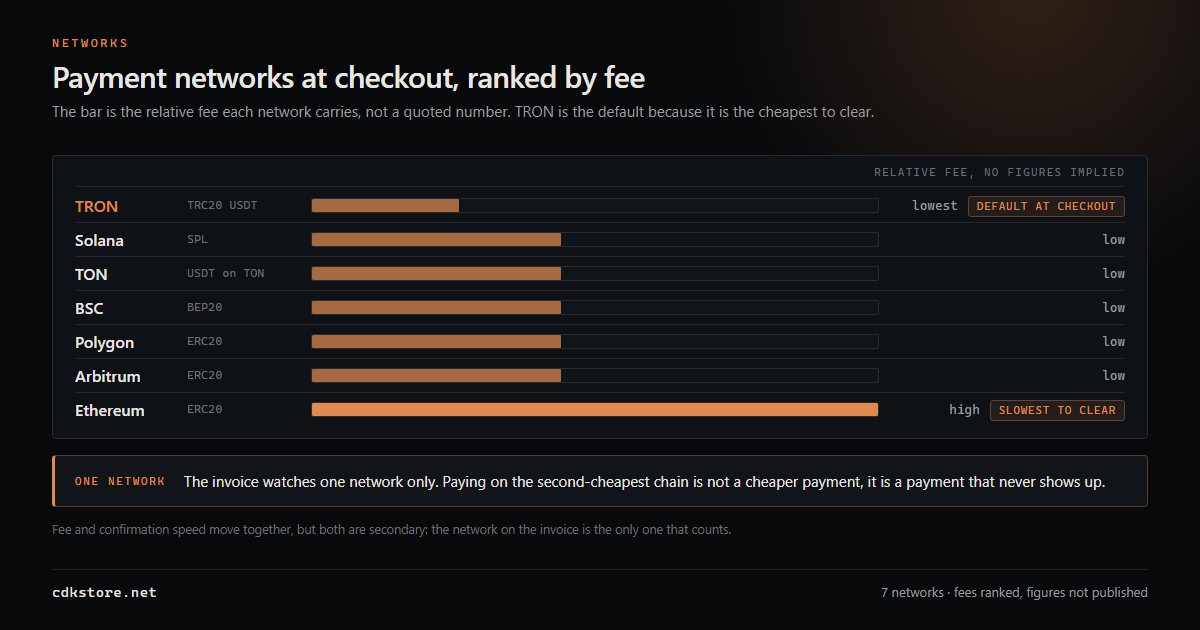
Payment here is crypto only: USDT and USDC, plus native TRX, SOL and TON, across the eight networks shown at checkout. No card, no PayPal, no bank transfer. One invoice means one network and one amount: do not split an order across two transfers, and never combine two orders into one transfer. An aggregated payment does not clear two orders; it creates one movement that matches neither.
1. The network must match exactly
USDT exists on a dozen chains. Sending on TRON when the invoice expects BSC is not "roughly the same" — it is a transfer to the right address on the wrong ledger. The gateway never sees it, and recovery requires manual work by whoever controls the receiving address.
Rule: read the network name on the invoice, then check it again in your wallet before confirming. Wallet defaults and the network you assume you are on are frequently different things. If the wallet defaults elsewhere, fix it before pasting the address.
2. The amount must be exact
Invoices are matched by address and amount. Two adjustments matter:
- Do not send "minus fees". If your wallet deducts the network fee from the amount, less arrives than expected. Choose the option where the fee is added on top, not subtracted.
- Do not round. If the cashier says 14.00, send 14.00 — not 13.9, not 14.1.
The network fee is carried by the sender; that is the norm on every chain. When the failure turns out to be on our side, the fee is handled together with the refund instead of being argued about.
3. Wait for confirmations
The invoice flips to paid once the chain confirms, not when your wallet says "sent". TRON needs one confirmation and is quick; EVM chains take a few; a congested hour can stretch that. If the payment page still says pending after a few minutes, refresh it, then look up your hash in a block explorer, and only then raise a ticket.
4. Keep the transaction hash — it is your receipt
No email is ever sent from this shop; there is no mail system behind the order. Your entire record is the order number and the hash. A hash shows the amount, the address, the time and the confirmation count in public, and it is what support uses to locate a disputed transfer. Lose it and reconciliation turns into a guessing game.
Before you send, in order
- Copy the address from the invoice — never retype it, and never reuse an address from an old chat.
- Confirm network in the wallet matches the invoice.
- Confirm the exact amount, with the fee on top.
- Send, then keep the transaction hash.
- Return to the order page and wait for the status to change.
If something went wrong
Three cases behave differently. Wrong chain: manual work, handled case by case outside the standard refund policy, with no promise attached. Wrong amount: a shortfall is settled by topping it up, an overpayment returns the unused part prorated by day. Wrong address: that money never reached us, so there is nothing here to refund.
Send support three things: the transaction hash, the order number, and the network you used. Message @cdkstorebot in English or Chinese; @cdk_store is the public channel. With those three, most mistakes get an answer within a day.
Refunds go back on-chain to the address you sent from, and are usually confirmed inside 12 hours. They come back in the same asset, not converted.
Payments on our side are described on the plan pages; the status page shows what to expect after a successful transfer, and this one walks the reconciliation path when a correct payment does not appear.
Common questions
Can I split one invoice across two transfers?
No. Matching is address plus exact amount, so two partial transfers produce two unmatched movements. One invoice, one network, one transfer.
Who pays the network fee?
You do, on top of the invoice amount — do not let your wallet subtract it from the transfer. If the failure turns out to be ours, the fee is handled with the refund.
I paid on the wrong chain. Can it come back?
That is reconciled by hand, case by case, outside the standard refund policy, and it is not something anyone can promise in advance. Send the hash and the order number to @cdkstorebot immediately.
Will I get a confirmation email?
No. There is no email system behind these orders. Your record is the order number plus the on-chain transaction hash.
How long until a correct payment shows as paid?
One confirmation on TRON, a few on EVM chains, slower in a congested hour. Refresh the order page and check the hash in an explorer before opening a ticket.
Guides
All guides →Claude Max 5x vs 20x: which tier you actually need
The difference is not quality — it is how many times you can hit the wall before lunch. A practical way to size your plan.
How to pay for Claude from mainland China (2026)
Four routes, ranked by how often they actually work — and the two that quietly cost you the account.